
RomeoSEO11 min read
AI Search Monitoring: Track Your AI Visibility
Set up AI search monitoring yourself: build a prompt library, run it on ChatGPT and Perplexity, track mentions and citations, and act on what the data shows.
TL;DR
AI search monitoring means checking whether and how your brand shows up in answers from ChatGPT, Perplexity, Google AI Overviews, and Gemini. You can do it yourself with a fixed list of prompts, a spreadsheet, and a weekly routine. Dedicated tools exist, but start manual until the volume justifies paying.
Here's the workflow in one glance:
- Build a prompt library of 25 to 50 questions buyers actually ask, written without your brand name.
- Run the same prompts on the same engines on a schedule, logged out where possible.
- Record per answer: mention, linked citation, position, cited URLs, competitors, sentiment.
- Compare week over week, not run to run, because AI answers are non-deterministic and small samples are noise.
- Act on the findings: fix or create the pages AI engines cite, close prompt gaps, and repeat.
If you already track classic rankings, you know half the job. This guide covers the other half: why AI answers behave differently, how to set up tracking that holds up, and what to do with what you find. For the classic side, see our guide to SEO keyword ranking.
What AI search monitoring is (and why it's not rank tracking)
Classic rank tracking asks one question: for this keyword, what position does my URL hold on Google? The measured position depends on the query, location, device and check time, so even conventional rank tracking needs consistent settings.
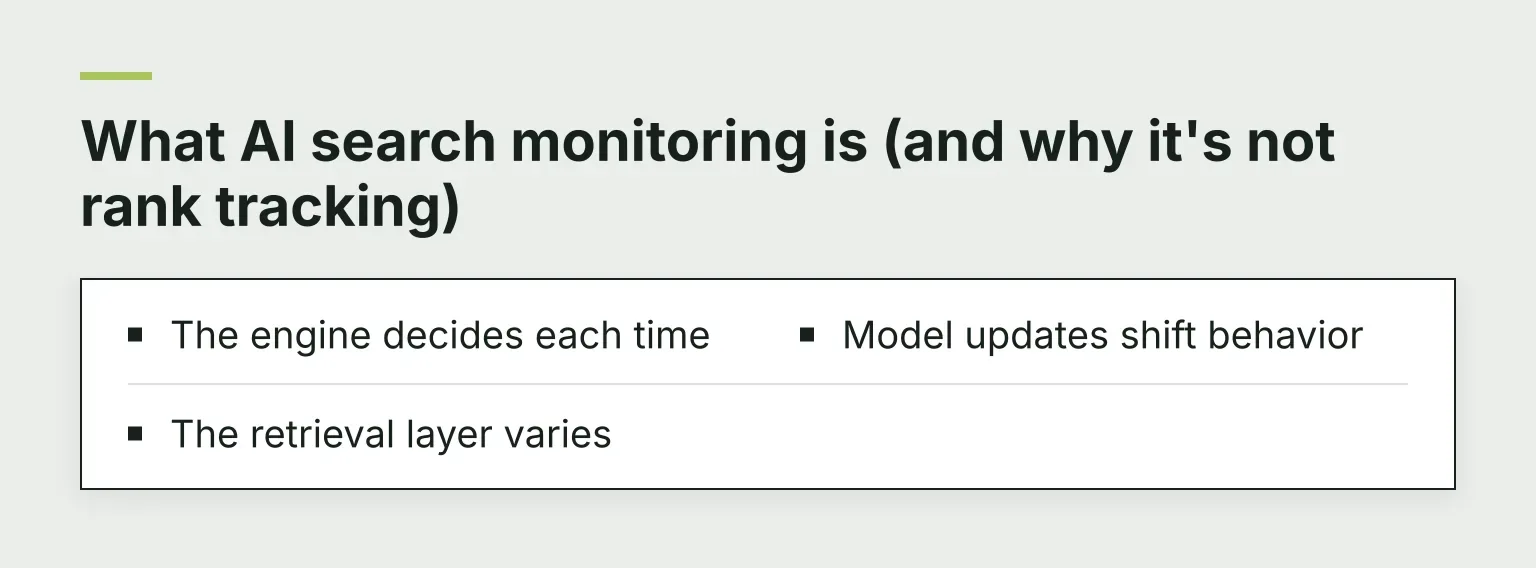
AI search monitoring asks a different question: when someone asks an AI assistant about your topic, does your brand get mentioned, and is your site cited as a source? The answer is unstable by design. The same prompt can produce a different answer minutes later, because:
- The engine decides each time. An assistant can retrieve different pages or compose a different answer for the same question. Keep the prompt and session settings consistent and save the answer you actually observed.
- The retrieval layer varies. Engines use different retrieval and citation systems. A linked source is evidence that the answer points to that page; it is not a complete record of every influence on the generated answer.
- Model updates shift behavior. A new model version can change which sources get cited, without anything changing on your site.
So the number you care about is not a position. It's a rate: out of many runs of the same prompt, what share of answers mention you or cite your site? Rates need samples, and samples need consistency. That's what the rest of this guide builds.
Step 1: Build your prompt library
Your prompt library is the fixed set of questions you'll re-run every time you check. It replaces the keyword list from rank tracking, with one big rule: the prompts describe the buyer's question, not your brand.
Write three kinds of prompts, in the words your customers actually use:
- Informational: "how do I fix slow WooCommerce checkout," "what does a content audit include." These show whether AI engines describe the problem in terms that match your content.
- Commercial: "best tools for X," "top agencies for Y," "how much should Z cost." These are where recommendations and mentions happen.
- Comparison: "A vs B," "alternatives to [competitor name]," "A or B for a small team." Competitor names are fine here; your own name is not.
Exclude prompts that contain your brand name. Asking ChatGPT "is RomeoSEO good" measures nothing useful. If buyers rarely name a vendor when they search, the AI rarely names yours unprompted either.
Aim for roughly 25 to 50 prompts to start. That's a rule of thumb from several public guides, including HubSpot's guide to which prompts to track, not a standard, but the reasoning is solid: fewer than that and one random answer swings your whole picture. If you sell in more than one country, treat each market as its own prompt list.
Tag each prompt by intent and topic. When you later see a gap, you'll want to know whether it's in your commercial prompts or your informational ones, because the fix differs.
Step 2: Choose engines and set a run schedule
Cover the engines your buyers use. For most sites that's four:
- ChatGPT, the default assistant for many consumers and B2B buyers.
- Perplexity, which grounds nearly every answer in live web sources, so citations are easy to see.
- Google AI Overviews and AI Mode, because this is where your existing Google visibility carries over (or doesn't).
- Gemini, which sits inside Google's ecosystem and Workplace tools.
Run them like a lab experiment:
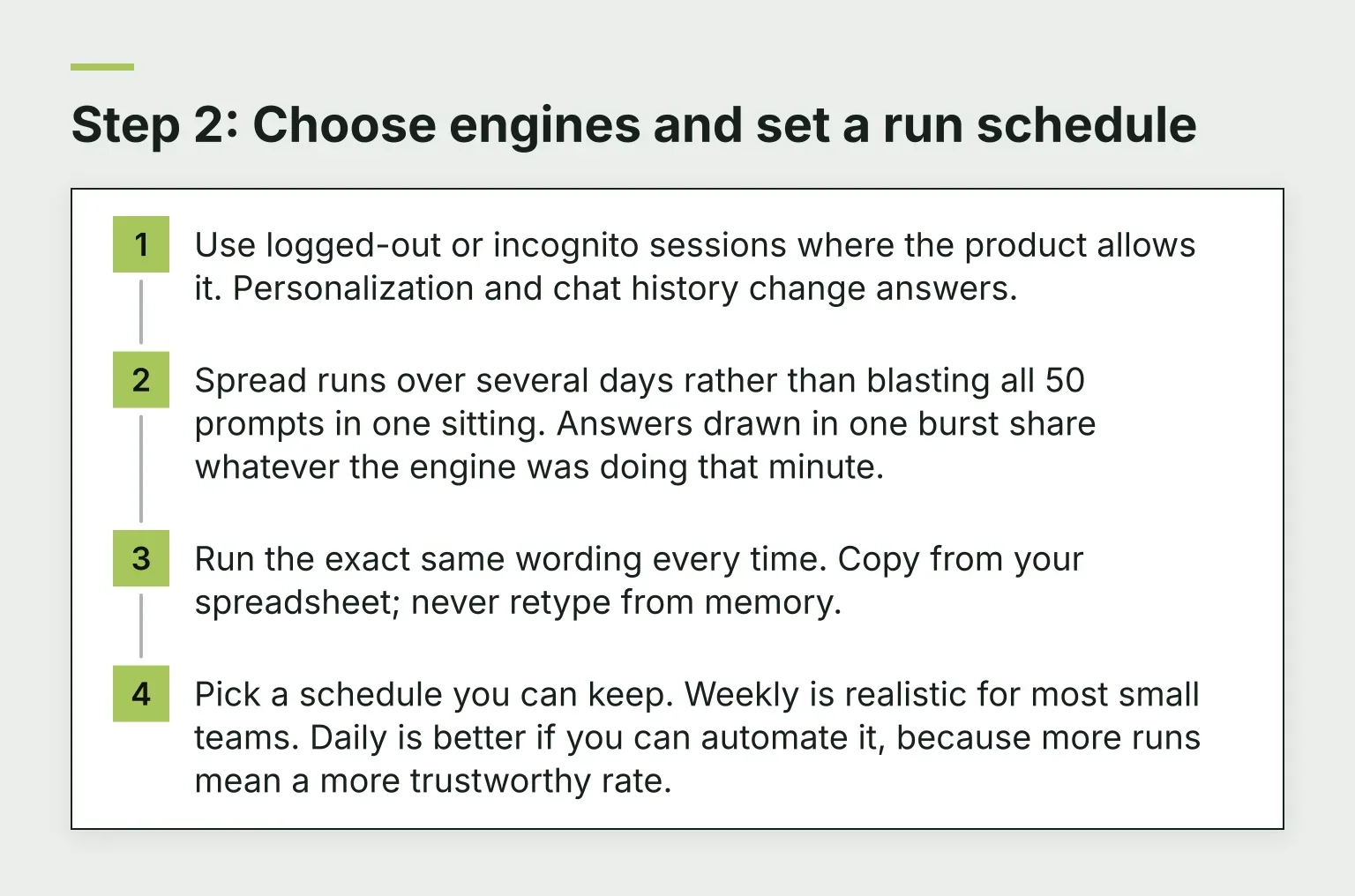
- Use logged-out or incognito sessions where the product allows it. Personalization and chat history change answers.
- Spread runs over several days rather than blasting all 50 prompts in one sitting. Answers drawn in one burst share whatever the engine was doing that minute.
- Run the exact same wording every time. Copy from your spreadsheet; never retype from memory.
- Pick a schedule you can keep. Weekly is realistic for most small teams. Daily is better if you can automate it, because more runs mean a more trustworthy rate.
Step 3: Record what matters in each answer
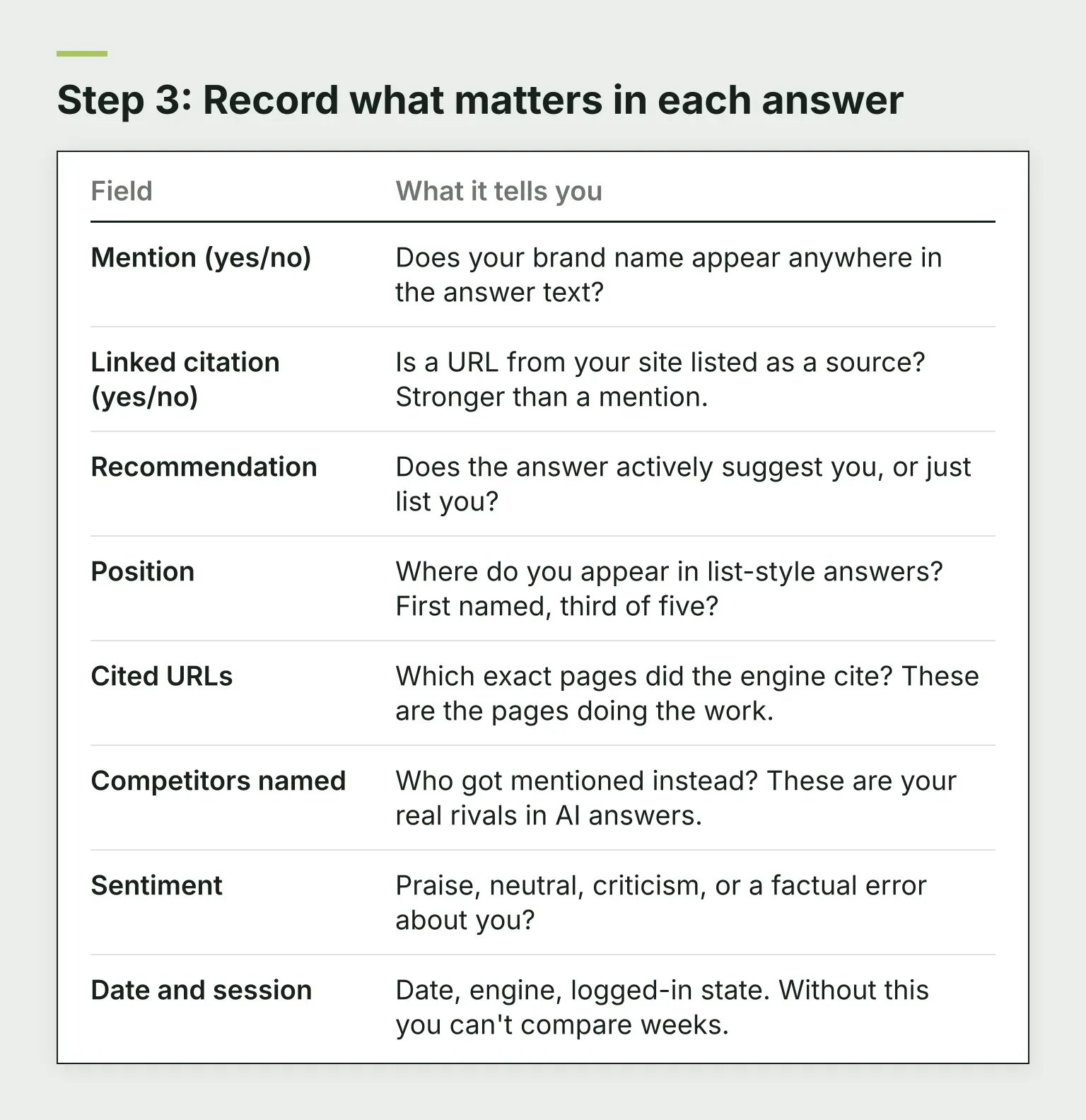
For every prompt and engine, open the answer and log a few fields. This is the whole recording sheet:
| Field | What it tells you |
|---|---|
| Mention (yes/no) | Does your brand name appear anywhere in the answer text? |
| Linked citation (yes/no) | Is a URL from your site listed as a source? Stronger than a mention. |
| Recommendation | Does the answer actively suggest you, or just list you? |
| Position | Where do you appear in list-style answers? First named, third of five? |
| Cited URLs | Which exact pages did the engine cite? These are the pages doing the work. |
| Competitors named | Who got mentioned instead? These are your real rivals in AI answers. |
| Sentiment | Praise, neutral, criticism, or a factual error about you? |
| Date and session | Date, engine, logged-in state. Without this you can't compare weeks. |
The mention versus citation distinction is the one people miss most. A brand can be named in the answer text while a completely different site gets cited as the source, or the reverse: your page cited as evidence for an answer that never says your name. Citations show that an answer links to your content as a source. Mentions show that your brand appears in the text; they do not reveal how the model learned about you. You want to know which one you're winning, because you improve each differently.
Step 4: Read the numbers honestly
Three metrics are worth computing once you have a few weeks of data:
- Visibility rate: the share of runs where your brand was mentioned. Per prompt per engine, then overall.
- Citation rate: the share of runs where one of your URLs was cited as a source.
- Share of voice: of all brand mentions in your prompt set, what fraction went to you versus each competitor.
Now the honest part. AI answers are non-deterministic, so a rate from a handful of runs is mostly noise. In one vendor's study of a single category and market over three days, random prompt samples found that with only 5 prompts, a brand's measured visibility ranged from 0% to 44% across random draws; at 50 prompts, the same brand stayed between 13% and 26% (FullReach's prompt-sample guide shows the full table). Practical consequences:
- Treat the level as an estimate and the trend as the signal. Comparing week to week on a fixed prompt set tells you far more than any single reading.
- Don't react to one bad answer. Don't celebrate one good one.
- When two weeks differ, check whether the change repeats across several prompts before you call it real.
- Expect platform variance. Your citation rate can be strong on Perplexity and weak in Google AI Overviews without either being a bug. Fix engines separately.
Step 5: Check the prerequisites AI engines need
Before you conclude that an engine dislikes you, rule out mechanical causes. Each engine has a different gate:
- Crawler access. Check robots.txt and firewall rules for search crawlers such as OAI-SearchBot and PerplexityBot. Access permits crawling but does not guarantee a citation. For Google AI Overviews and AI Mode, Google's guidance requires normal Search eligibility. Google-Extended controls certain Gemini training and grounding uses; it does not control inclusion or ranking in Google Search.
- Indexing and page access. Confirm important URLs return usable content and can be indexed. Do not assume that being indexed by one search engine guarantees inclusion in an AI answer.
- Freshness for time-sensitive questions. Keep pricing and comparison pages accurate and show a truthful update date when you substantially revise them. Changing the date alone is not an improvement.
- Community sources. AI engines often pull from Reddit, YouTube, and niche forums, especially for comparison questions. If competitors appear via a Reddit thread and you don't, the fix may be participation there, not a new landing page.
Step 6: Manual spreadsheet or dedicated tool?
There's a real fork here, and the right answer depends on scale.
The manual workflow is exactly what this guide describes: prompt library in a spreadsheet, one row per run, a weekly calendar block, simple formulas for visibility and citation rates. It works well when you have roughly 25 to 50 prompts, one to four engines, and one person who owns it. Cost: your time. Risk: it quietly dies when that person gets busy.
Dedicated AI search monitoring tools (Profound, Otterly, Peec AI, Semrush's AI visibility toolkit and similar) automate the re-runs on a schedule, benchmark you against named competitors, and chart trends over months. That matters once you want daily samples, more prompts than one person can hand-check, or reporting for a client or leadership. Check current pricing, engine coverage and sampling methods on vendor sites before comparing. If you're evaluating one, our guide to AI search optimization tools walks through how to compare them, and our broader piece on choosing SEO analysis tools covers the which-tool-for-which-job question generally.
A fair rule of thumb: run manually for your first month. You'll learn what the data actually looks like, which makes you a better buyer if you later want a tool.
Step 7: Act on what you find
Monitoring earns its keep only when it changes what you publish. Work the findings in this order:
- Fix the pages AI already cites. If Perplexity keeps citing one of your posts, that page is your leverage. Update it, add the missing detail answers ask about, and make sure each section opens with a direct answer so the engine can lift a clean passage.
- Create pages for the sources winning without you. When answers to your commercial prompts cite a competitor's comparison guide, that's a content gap with proven demand. Build the page the answer wishes existed.
- Close prompt gaps. If whole topic clusters in your library never mention you, that's a mapping problem: you have no strong page for those questions, or it isn't reachable by the crawlers from step 5.
- Correct factual errors fast. If an answer states something wrong about your pricing or features, fix the source it cited and add a clear, current statement on your own site.
- Re-run the library on schedule and only react to changes that hold across weeks.
This is where the classic SEO loop rejoins the AI one. Finding which pages are losing traffic, improving their titles, content, and internal links, and preparing those changes for human review is the same work whether the traffic comes from Google or from a citation inside an AI answer. Tools like RomeoSEO are built for that half: using your pages, rankings, and Search Console data to pick the next page to improve and prepare the changes for review. It doesn't track AI mentions itself, so pair it with the monitoring routine from this guide.
A note on expectations
AI search monitoring is young. Engines change their retrieval sources and citation formats without notice, so a tactic that works this quarter may need rechecking next quarter. Keep the prompt set fixed, keep the schedule fixed, and change one thing at a time. That discipline is what makes the trend readable.
Ready to act on your monitoring data?
If you're building out the pages AI engines should be citing, RomeoSEO finds the keyword and content opportunities from your own site data and prepares reviewable changes for you. You can join the waitlist with your email to get early access.
Frequently asked questions
How long until monitoring shows results?
Give a fixed prompt set at least four to six weekly runs before reading the trend. Individual answers vary too much for anything shorter.
Can I monitor AI Overviews in a normal browser?
Yes, but sign out of Google and note your location, since AI Overviews roll out unevenly and can vary by region and session.
Do I need to track every AI engine?
No. Start with the two your buyers use most, usually ChatGPT and Google, then add Perplexity if your audience researches tools and comparisons there.
What's a good visibility rate?
There's no benchmark yet. Compare yourself to the competitors that share your prompt set, and watch the direction of travel rather than the absolute number.