
RomeoSEO10 min read
SaaS SEO Strategy: A Lean Playbook for Teams
A practical SaaS SEO strategy for teams without an SEO department: prioritize keywords, ship fewer pages, improve what ranks, and monitor Search Console.
The short version
A SaaS SEO strategy for a team without an SEO department comes down to four repeatable loops: pick the keywords closest to buyers, produce fewer and better pages, improve pages that already rank, and monitor Search Console to decide the next fix. Tools should support those loops, not replace the strategy. Here is the playbook in one list:
- Keyword prioritization: group searches by buyer language and intent; volume is only a tie-breaker.
- Content production: build pages around jobs and use cases instead of ten thin variations.
- Existing pages: find pages losing traffic, then fix titles, metadata, content, and internal links.
- Monitoring: set a Search Console baseline, watch movement, and turn drops into a prioritized fix list.
- Tooling: choose a SaaS SEO tool by whether it fits each loop, including review before changes ship.
Most SaaS SEO advice is written for teams with a dedicated SEO manager, a content agency, and an enterprise tool budget. If you are a marketer, a founder, or a two-person growth team, you cannot run that playbook. Your constraint is not ideas or keywords. It is people-hours. A lean strategy makes different choices on purpose.
Why lean SaaS SEO is a different game
An enterprise SEO team can run a 40-page audit, watch hundreds of keywords daily, and publish across ten topic clusters at once. You cannot. So stop trying to shrink their plan and start running a smaller, closed loop instead.
The core difference is attention. At small scale, every hour spent checking ranks or writing a marginal page is an hour not spent improving a page that is close to ranking. Lean SEO wins by picking fewer targets and going back over them repeatedly, not by publishing more.
That framing sets up the four loops below. Each loop is something one or two people can run in a few hours a week.
Loop 1: Prioritize keywords the way buyers talk
Start from the words your buyers use, not the words your product team uses. Good sources for a small team:
- Sales calls and support tickets, where customers describe the problem in their own words.
- Review sites, where people compare you against alternatives by name.
- Search Console queries that already show your pages, even at low ranks.
Group those terms by intent rather than chasing volume. For most SaaS sites, four groups cover it: problem searches ("why does churn spike after onboarding"), solution searches ("customer success software"), alternative searches ("[competitor] alternatives"), and use-case searches ("[tool] for agencies"). Volume decides only when two keywords sit in the same group with similar intent. Then pick the higher-volume one.
This ordering matters because a low-volume page that answers a purchase-ready question usually beats a high-volume page that answers a casual one. If your page-to-keyword mapping is loose, fix that before writing anything new; our guide to SEO content audits walks through judging what to keep, update, merge, or cut.
Loop 2: Produce fewer, better pages
For each intent group, write one page that fully serves it. Not five pages splintered across keyword variations. Thin variations split your own traffic and give search engines and AI answer engines nothing substantial to cite.
A useful test before writing: can you name the reader's job and the moment they would use your product? "Project management software for design agencies" passes. "Project management for teams" does not, because it does not say who it is for or what changes for them.
Here is what that looks like on a real SaaS site. Say buyers keep naming one big competitor on sales calls. Instead of five thin pages for every variation of "[competitor] alternatives", write one page that says who should switch, what each option costs, and where your own product is the wrong pick. Our Semrush alternatives guide is built that way: options grouped by the job the reader needs done, with free tools listed next to paid ones. Integration pages follow the same rule. Write one page per integration buyers actually ask about, saying what it does and who it helps, instead of cloning a template page for every app you connect to.
Keep a small number of clusters live at a time: one pillar page per cluster and a handful of supporting articles that link to it and to each other. Internal links are one of the few levers you fully control, and a cluster you can maintain beats a category archive you cannot. When you write, structure each post around questions a buyer would actually ask. Our guide to on-page SEO optimization walks through search intent, titles, headings, and internal links one page at a time.
Loop 3: Improve existing pages before writing new ones
For most established SaaS sites, the fastest wins are on pages that already get impressions. A page that shows up in search but gets few clicks usually has a title or description that does not match the intent. A page with clicks but no signups usually has a content or conversion-bridge problem.
Work this loop monthly:
- Pull pages with meaningful impressions but weak click-through rates, and rewrite titles and descriptions to match what searchers typed. Google's SEO Starter Guide has plain rules for what makes a title work: unique to the page, clear, and an accurate description of what is on it.
- Pull pages that lost rankings, and check whether a competitor added a section you lack, or whether your content drifted out of date.
- Add internal links from strong pages to pages that need help, with descriptive anchors.
You do not need a tool to start; the Search Console performance report shows clicks, impressions, and average position by page and query. To check one page against the keyword it should rank for, the free on-page SEO checker grades its title, description, headings, and links and lists the fixes. Where software helps is finding which pages slipped, proposing the fix, and preparing the change. That is exactly the gap RomeoSEO fills: it uses your site's pages, rankings, and connected Search Console data to spot pages losing traffic, then writes improved titles, metadata, content, and internal links, checks them against what already ranks, and sends the changes to your site. For a small team, that turns a research afternoon into work that is already done.
Loop 4: Monitor to decide, not to watch
Monitoring is not dashboard-staring. It is a decision loop: baseline, detect movement, prioritize the fix, prepare the change. Concretely:
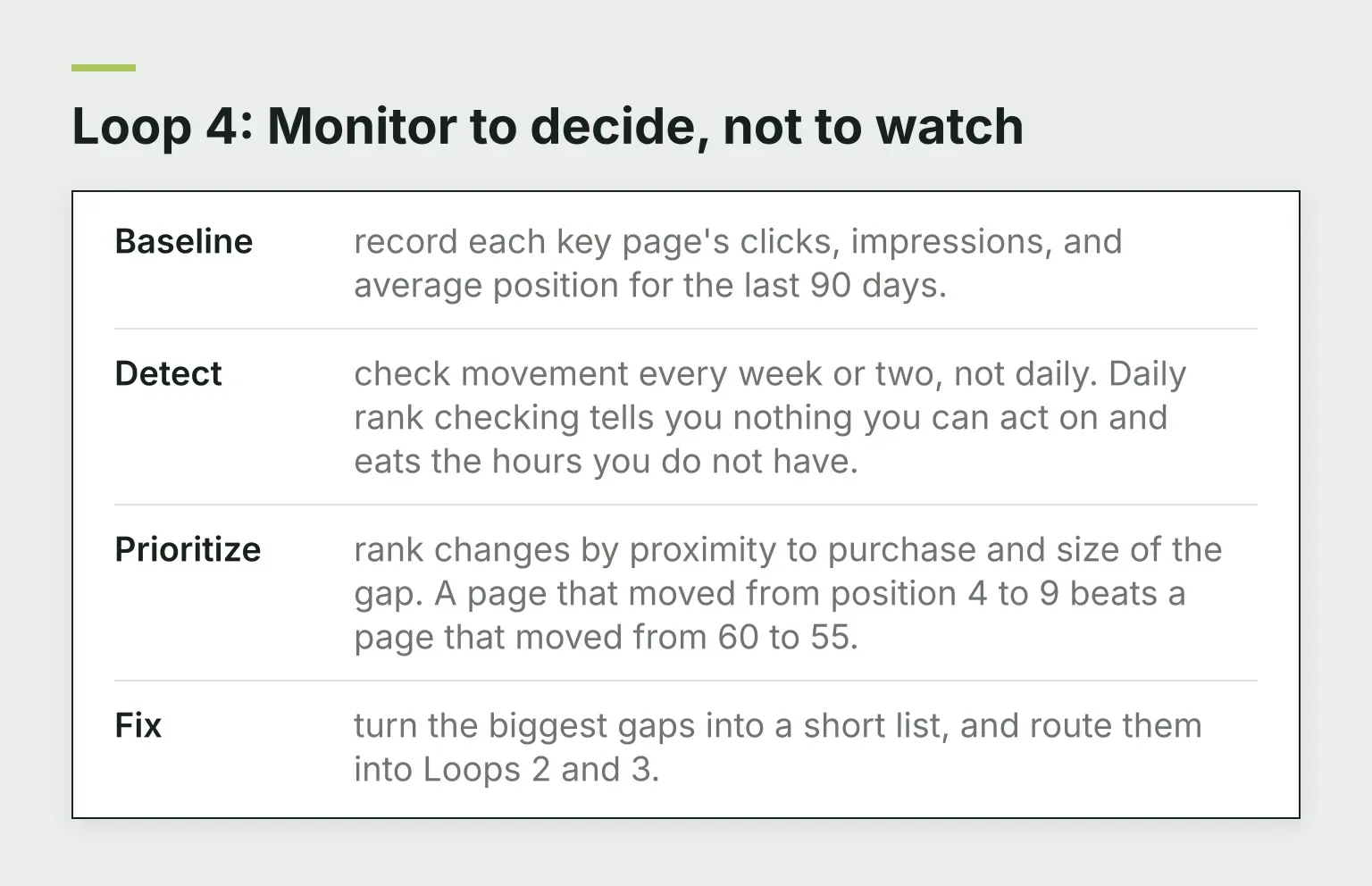
- Baseline: record each key page's clicks, impressions, and average position for the last 90 days.
- Detect: check movement every week or two, not daily. Daily rank checking tells you nothing you can act on and eats the hours you do not have.
- Prioritize: rank changes by proximity to purchase and size of the gap. A page that moved from position 4 to 9 beats a page that moved from 60 to 55.
- Fix: turn the biggest gaps into a short list, and route them into Loops 2 and 3.
If you track rankings manually, our guide on how to track keyword rankings in Search Console covers the mechanics. A monitoring tool earns its keep only when it shortens the distance from "something moved" to "here is the fix."
Add AI search visibility to the plan
More buyers now ask AI assistants and AI search engines which tool to pick. If those systems cannot summarize your pages accurately, you are invisible in that channel. The basics are not exotic: answer real questions directly on the page, keep facts current, use clear headings, and make sure comparison and alternative pages state concrete specifics rather than vague claims.
A small team does not need a separate AI-visibility program on day one. Fold it into the same loops: when you improve a page, check whether it answers a question an assistant could quote. To see whether ChatGPT, Perplexity, or Gemini mention you for a buyer question today, try the free AI visibility checker. When you are ready to compare dedicated tooling, our guide to AI search optimization tools explains how to evaluate them.
Check quality before anything ships
Automation can research, write, and even publish changes, but only with quality checks built in. A wrong title, a hallucinated comparison, or an internal link to a dead page costs more to unwind than the check costs to run. The pattern that works at small scale: every change is checked against live search results, your existing pages, and your own product facts before it reaches the site, and someone skims what went out each week. That keeps the speed without handing your site's reputation to an unchecked model.
How to choose a SaaS SEO tool
Once the strategy is clear, pick tooling per loop rather than buying the biggest suite. Compare candidates on:
- Data sources. Does it use your own site data and Search Console, or only a generic keyword database? Your own data is what makes prioritization specific to you.
- Prioritization. Does it surface which pages are losing traffic, or just list every keyword it knows?
- Quality checks. Does it check its work against live search results and your existing pages, or does it push generic edits straight to your site?
- Cost relative to team size. A suite priced for an SEO department is a bad fit for a team of two, whatever its feature count.
A few tools that each fit a loop usually serve a small team better than a big suite it only half uses. Try any candidate on your own site and data before you commit to it. For a deeper comparison framework, see SEO analysis tools: how to choose the right one, and our roundup of SEO automation tools compares 12 options by task. And if the budget is zero for now, RomeoSEO's free agent skills give you research, briefs, and audits you can run with an AI agent before any tool commitment.
What not to do at small scale
Three habits reliably waste a lean team's time:
- Daily rank checking. Rankings wobble for reasons you cannot fix in a day. Weekly or biweekly is enough.
- Ten thin pages instead of one good one. You get cannibalization, weak internal links, and nothing substantial to show for the spend.
- Full enterprise audits. A 40-page technical audit does not help when your real bottleneck is deciding which five pages to improve this month. If you only need to know what is broken, the free SEO audit crawls 25 pages and lists the problems in plain English, with no signup.
Google's own guidance is consistent here: content should be created for people first, with search as a means, not an end. Keep that principle and most small-scale mistakes become obvious.
A realistic cadence for one to three people
Here is a 90-day shape that fits roughly five to ten hours a week:
- Weeks 1 to 2. Set the Search Console baseline. Pull buyer language from sales and support. Pick two intent groups to own.
- Weeks 3 to 6. Ship the pages closest to a purchase: one comparison or alternative page, two or three use-case pages, with internal links wired in.
- Weeks 7 to 10. Add one supporting cluster for a problem-aware group. Start the monthly improve-existing-pages loop.
- Weeks 11 to 13. Review the baseline against reality. Decide what to double down on, refresh, or drop. Repeat.
If you have less time, cut breadth, not the loops. Two maintained clusters beat four abandoned ones, and the monitoring loop is the one thing you should never skip, because it tells you where the next hour goes.
If you want an AI SEO agent that runs these loops with you, RomeoSEO finds the opportunities in your own data, writes the new pages, fixes the existing ones and sends the work to your site, and you can ask it in plain English what to do next. Give Romeo your website and he will show you the first fixes for free. The site profile and research preview cost nothing, then there is a 3-day free trial (card required) and $69 a month per site after that.